The PickRV help center
How can we help?
88 answers written by PickRV — booking, payments, pickup, the road, returns, and what happens when something goes wrong.
If an article doesn’t settle it, the message form at the foot of this page reaches a person — someone reads every message and answers by email.
88 articles · 11 topics · support@pickrv.com

The questions people actually open
What is PickRV?
PickRV is a peer-to-peer marketplace where hosts list RVs, boats, off-road rigs, classics, and trucks or vans, and travelers book them. PickRV does not own the vehicles. Checkout itemizes a 10% service fee plus any cleaning fee. Full rental refund 48+ hours before pickup on every listing. PickRV is not an insurer.
How does PickRV work?
Search, open a listing, pay on Stripe, pick up with photos, take the trip, return with photos, review. Under $500, your card is charged when you pay, and that confirms the booking. At $500 or more, PickRV reviews the booking before the card is charged. The deposit hold starts 24 hours before pickup. Cancel at least 48 hours before pickup and the rental charges come back in full. PickRV is not an insurer.
First-time renter checklist
Before your first trip: verify your account, decide on category (RV vs trailer vs boat vs off-road), confirm your driver's licence covers what you're renting, plan campground reservations, get a card with adequate available credit for the deposit hold, and read the listing's house rules in full.
Trust + safety basics
Confirmed email before checkout, Stripe for every payment, a host-set deposit hold, no PickRV insurance product, in-app messages, and a documented damage-dispute process. PickRV is not an insurer. Do not pay a host off-platform.
How do I search for RVs, boats, or off-road rigs?
Use the search bar at the top of any page. Enter a city or state and your dates, pick the category (RV, boat, off-road, classic, truck/van), and apply filters for sleeps, length, price, and amenities. Toggle between list and map view at the top of the results page.
What to expect on your first booking
Under $500, your card is charged when you pay, and that confirms the booking. At $500 or more, your card is authorized when you pay and charged once PickRV approves the booking. If it is not approved, the authorization is released and nothing is charged. There is no separate host-approval step after you pay. Deposit hold starts 24 hours before pickup. Cancel at least 48 hours before pickup on any listing and the rental charges come back in full.
What payment methods does PickRV accept?
Checkout runs on Stripe, in US dollars. Pay with a card Stripe accepts. Apple Pay or Google Pay may appear when your device supports them. Cash, wires, Zelle, Venmo, PayPal, crypto, and installment plans are not accepted. PickRV does not keep a card wallet. The deposit hold is a separate authorization before pickup.
What to expect from a host payout
After the trip ends, PickRV waits 2 days, then creates a Stripe payout of that booking’s host cut from your Express connected-account balance — only if payouts are enabled, there is no open dispute, and a verified pickup walkthrough with 6+ photos exists; without that walkthrough the payout waits until 7 days after the trip ends. Stripe then sends a standard US bank transfer; PickRV does not set when your bank posts it.
What to expect from the security deposit
The deposit is a card authorization, not a second charge unless a claim is captured. Host-set amount. Confirm it 24 hours before pickup. States: none | authorized | captured | released | failed. It is released after the 48-hour post-trip review window, unless a damage claim is filed. Bank posting is the bank's clock.
Pickup checklist — what to do at the start of your trip
Arrive on time, meet the host, complete a full walk-around inspection together, photograph all four sides plus interior, note mileage and fuel level on the rental agreement, confirm generator and slide-out operation, confirm all keys and accessories are present, sign the inspection acknowledgement. Take 30-45 minutes — don't rush.
What to expect at pickup
Walk the rig with the host. File a verified pickup walkthrough with 6+ photos (front, back, left side, right side, interior, odometer). Note mileage and fuel. Keep the photos. Confirm the deposit hold 24 hours before pickup. Without that walkthrough the host payout waits until 7 days after the trip ends.
Mid-trip support — who to call
For mechanical issues, lockouts, host quirks: message the host first via the in-app messaging. For host non-response or platform issues (payment, refund, dispute): contact support@pickrv.com. For emergencies (accident, medical, fire): call 911 first, then notify the host and PickRV.
Return checklist — what to do at the end of your trip
Refuel to the original level. Empty black and grey tanks at a dump station. Sweep and tidy the interior. Return all accessories. Photograph all four sides plus interior. Note final mileage. Walk-around with the host. Sign the return acknowledgement. The host then has 3 business days (5 for trips over 14 days) to file any damage claim.
What insurance does PickRV require?
PickRV does not sell or offer insurance coverage. Renters arrange their own coverage; hosts may carry their own commercial policies. PickRV is not an insurer. PickRV does not offer an optional protection plan today. The security deposit and the host's own commercial policy are what stand behind a trip, and nothing is added at checkout.
What is PickRV's cancellation policy?
Every listing carries the same floor: cancel at least 48 hours before pickup for a full refund of the rental charges that floor covers, in every state, on every tier. Closer in, the host's tier (Flexible / Moderate / Strict / Custom (under review)) can only improve on the floor. Moderate is the default. The active tier is on the listing and at checkout.
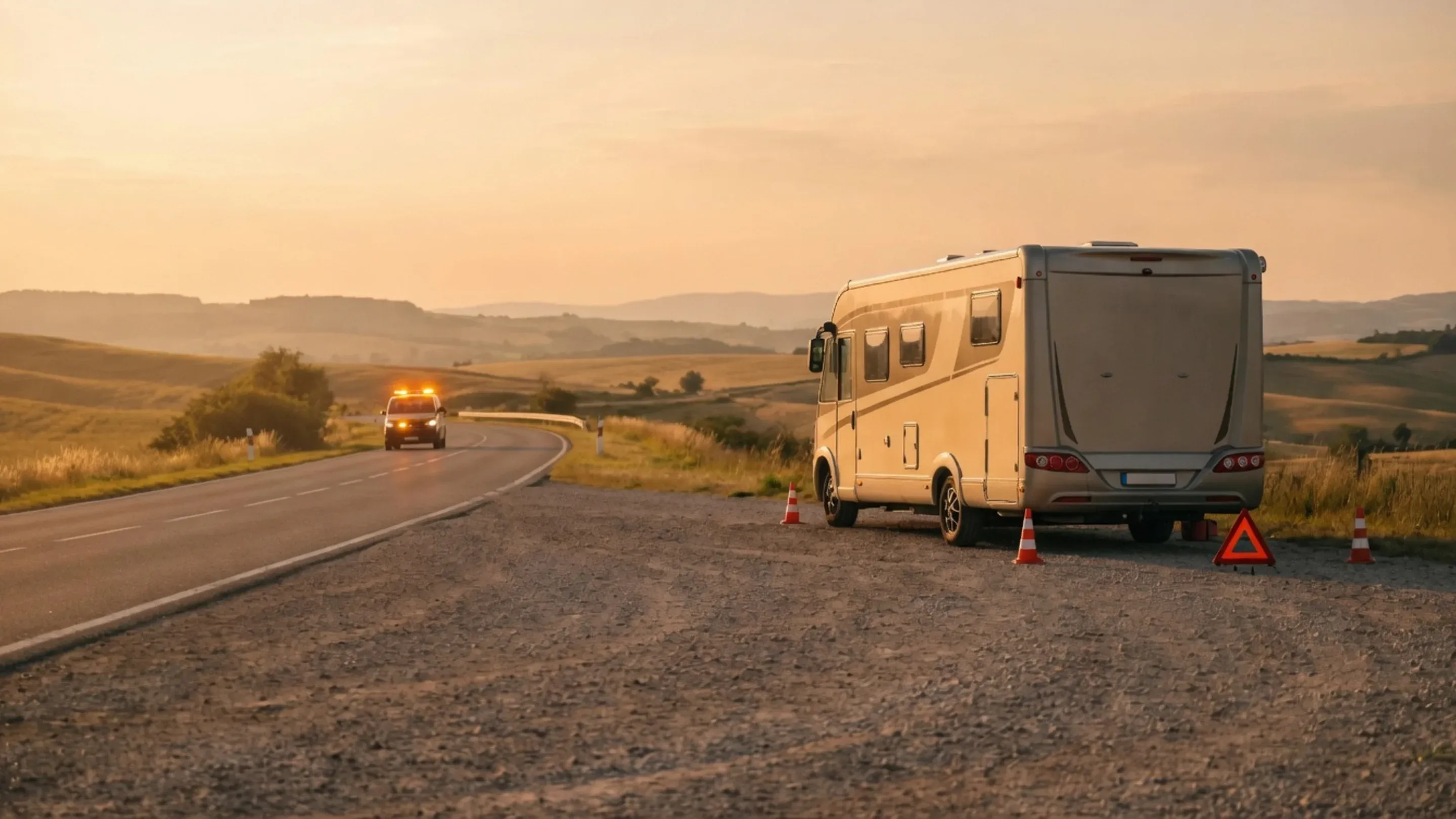
Mid-trip
When it goes wrong at the roadside
A lockout, a warning light, no bars on the phone. These are the articles written for the moment you are standing next to the rig rather than reading ahead of a trip.
Mid-trip support — who to call
For mechanical issues, lockouts, host quirks: message the host first via the in-app messaging. For host non-response or platform issues (payment, refund, dispute): contact support@pickrv.com. For emergencies (accident, medical, fire): call 911 first, then notify the host and PickRV.
2 min · Beginner
Mechanical issues on the road3 minLockouts — locked out of the RV2 minLost keys — what to do3 minExtending your trip while you're on it1 minOpen the whole shelf
The whole shelf
Every article, by topic
88 articles across 11 topics — the same corpus the search box above reads, laid out so you can browse it instead of guessing a keyword.
12 articles
Getting started
How PickRV works, why you'd verify your account, what's available without signing up, and the trust-and-safety basics.
- What is PickRV?Beginner · 1 min
- How does PickRV work?Beginner · 2 min
- How do I sign up and verify my account?Beginner · 1 min
- Why verify your account?Beginner · 1 min
- Profile completeness — does it matter?Beginner · 3 min
- Can I browse PickRV without signing up?Beginner · 2 min
- First-time renter checklistBeginner · 2 min
- Mobile app vs website — which should I use?Beginner · 2 min
- Accessibility on PickRVBeginner · 2 min
- Trust + safety basicsBeginner · 2 min
- What to expect when you apply to hostBeginner · 2 min
- What to expect when your listing is in reviewBeginner · 2 min
16 articles
Booking + reservations
Search, filter, read listings, request vs instant book, modify trips, and book from outside the US.
- How do I search for RVs, boats, or off-road rigs?Beginner · 2 min
- How do filters work on search?Beginner · 2 min
- How do I read a listing's photos?Beginner · 2 min
- What's included in a listing?Beginner · 2 min
- How do I read host reviews?Beginner · 2 min
- How do I verify a host's trust tier?Beginner · 2 min
- Request to book vs instant book — what's the difference?Beginner · 1 min
- Booking timeline — from checkout to pickupBeginner · 2 min
- Booking multiple vehicles for a groupIntermediate · 2 min
- Group travel coordination — keeping everyone alignedIntermediate · 2 min
- Last-minute booking — what's actually possible?Beginner · 2 min
- Booking far ahead — 6 to 12+ months outIntermediate · 2 min
- Booking modifications — change dates or detailsIntermediate · 2 min
- Extending your trip mid-tripIntermediate · 2 min
- Booking from outside the USIntermediate · 2 min
- What to expect on your first bookingBeginner · 2 min
12 articles
Payments + receipts
Cards, Apple Pay, deposits, payment plans, international cards, receipts, invoices, and tax-deductible travel.
- What payment methods does PickRV accept?Beginner · 2 min
- Apple Pay / Google Pay / Express checkoutBeginner · 1 min
- Why we charge a depositBeginner · 2 min
- Deposit return timelineBeginner · 2 min
- Payment plans — are they available?Beginner · 1 min
- International credit cards — what to knowIntermediate · 1 min
- Currency conversion — how it works for touristsBeginner · 1 min
- How do I download a receipt?Beginner · 2 min
- Invoice for business expenseIntermediate · 1 min
- Tax-deductible RV travel — what to knowIntermediate · 3 min
- What to expect from a host payoutBeginner · 2 min
- What to expect from the security depositBeginner · 2 min
9 articles
At the pickup
Pickup checklist, walk-around inspection, photo evidence, mileage and fuel, key handover, pre-existing damage.
- Pickup checklist — what to do at the start of your tripBeginner · 3 min
- Walk-around inspection — what to documentBeginner · 3 min
- Why photo documentation mattersBeginner · 2 min
- Mileage at pickup — record it correctlyBeginner · 3 min
- Fuel level at pickup — record it correctlyBeginner · 3 min
- Receiving keys and accessBeginner · 3 min
- Walking through the vehicle with the hostBeginner · 2 min
- Identifying pre-existing damageBeginner · 2 min
- What to expect at pickupBeginner · 2 min
10 articles
During your trip
Mid-trip support, mechanical issues, lockouts, extensions, host communication, emergencies, connectivity reality.
- Mid-trip support — who to callBeginner · 2 min
- Mechanical issues on the roadIntermediate · 3 min
- Lockouts — locked out of the RVBeginner · 2 min
- Lost keys — what to doBeginner · 3 min
- Extending your trip while you're on itIntermediate · 1 min
- Mid-trip check-ins — what to expectBeginner · 2 min
- Communicating with your hostBeginner · 1 min
- Emergencies — 911 firstBeginner · 3 min
- Calling PickRV during a tripBeginner · 2 min
- WiFi and cell coverage realitiesBeginner · 3 min
6 articles
Returning the vehicle
Return checklist, fuel level, mileage, photo documentation, walk-around with the host.
- Normal wear vs. damage: where the line actually sitsBeginner · 4 min
- Return checklist — what to do at the end of your tripBeginner · 3 min
- Fuel level at returnBeginner · 3 min
- Mileage at returnBeginner · 2 min
- Photo documentation at returnBeginner · 3 min
- Walk-around with the host at returnBeginner · 3 min
5 articles
Reviews + ratings
When you can leave a review, the verified-stay rule, anonymity, the editing window, and disputing a review.
5 articles
Account + settings
Profile updates, privacy toggles, GDPR data export, and GDPR account deletion.
5 articles
Insurance + protection
Required vs optional coverage, filing a claim, exclusions, and when to involve your own insurer.
5 articles
Cancellations + refunds
The 48-hour full-refund window, cancelling outside the window, host-cancelled trips, refund timeline.
3 articles
Disputes + claims
Filing a dispute against a host and the damage-dispute process end-to-end.
Quick answers
Charge timing, coverage, and the host money model — short and exact.

Renters
When am I charged?
The full trip total is due at booking. Under $500, your card is charged when you pay, and that confirms the booking. At $500 or more, your card is authorized when you pay and charged once PickRV approves the booking. If it is not approved, the authorization is released and nothing is charged. There is no separate host-approval step after you pay. Security deposits are a separate hold placed shortly before pickup — released after your trip unless a damage claim is filed.
Renters
Is roadside assistance included?
PickRV does not sell or offer coverage or roadside products. Independent roadside/RV memberships are available separately from third-party providers.
Hosts
How much can I earn as a host?
You set your own nightly rate and keep 100% of it — PickRV's margin is added on top of your rate in the listed price, and cleaning fees pass through to you in full. What a rig actually earns depends on the vehicle, the season, and the location. Earnings vary. Figures shown are early-stage projections, not typical results. Realistic peer-owner utilization is 25–35%.
Hosts
What are the markup rates?
You keep 100% of the base price you set; PickRV's share is a flat 15% added on top of it to form the listed price renters see. One flat rate for every host — no subscription plans or paid tiers, and no protection reserve. See /pricing for the full fee breakdown.
Hosts
How do payouts work?
After the trip ends, PickRV waits 2 days, then creates a Stripe payout of that booking’s host cut from your Express connected-account balance — only if payouts are enabled, there is no open dispute, and a verified pickup walkthrough with 6+ photos exists; without that walkthrough the payout waits until 7 days after the trip ends. Stripe then sends a standard US bank transfer; PickRV does not set when your bank posts it. Stripe Connect Express, manual schedule.
Still need help?
Ask a person
If the articles above didn't settle it, email us. A person reads every message and answers by email.
Send a message
Files a support ticket — you get a reference number right away.